Overview
This guide explains how to find the Bundle ID of an iOS application using the App Store link and Apple lookup API.
Prerequisites
Before finding the Bundle ID, ensure the following:
You have access to the App Store link of the iOS application.
Internet connectivity is available.
Steps
Step 1: Open the App Store in a browser and search for the app
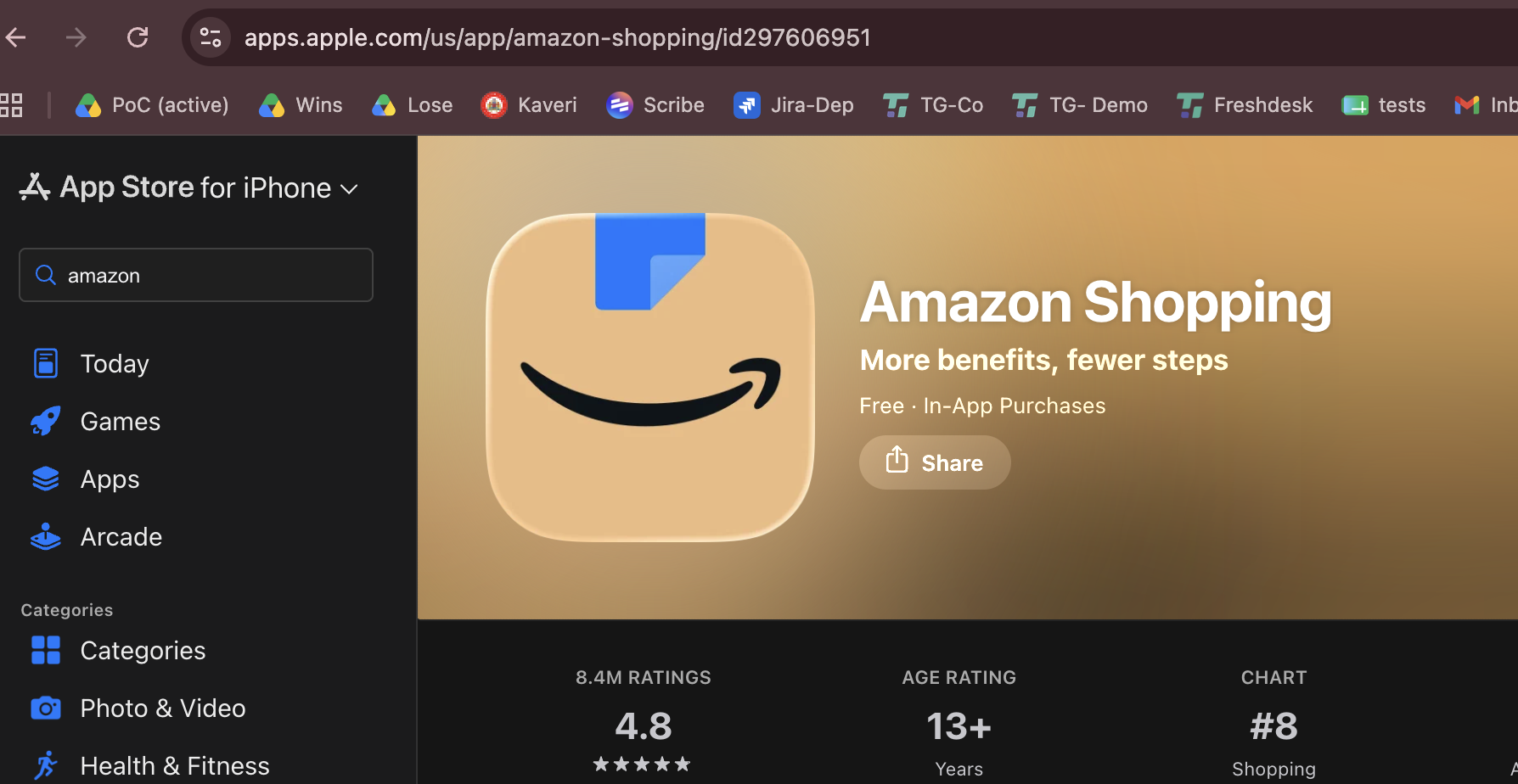
Locate the application ID in the URL, in this case its id297606591, copt this
Step 2:
Use the itunes lookup URL with the copied ID
https://itunes.apple.com/lookup?id=<PASTE THE COPIED ID>
Example: https://itunes.apple.com/lookup?id=297606951
Step 3: Find the Bundle ID
Once you run this URL in the browser a txt file gets downloaded
Search for
bundleIdin the downloaded file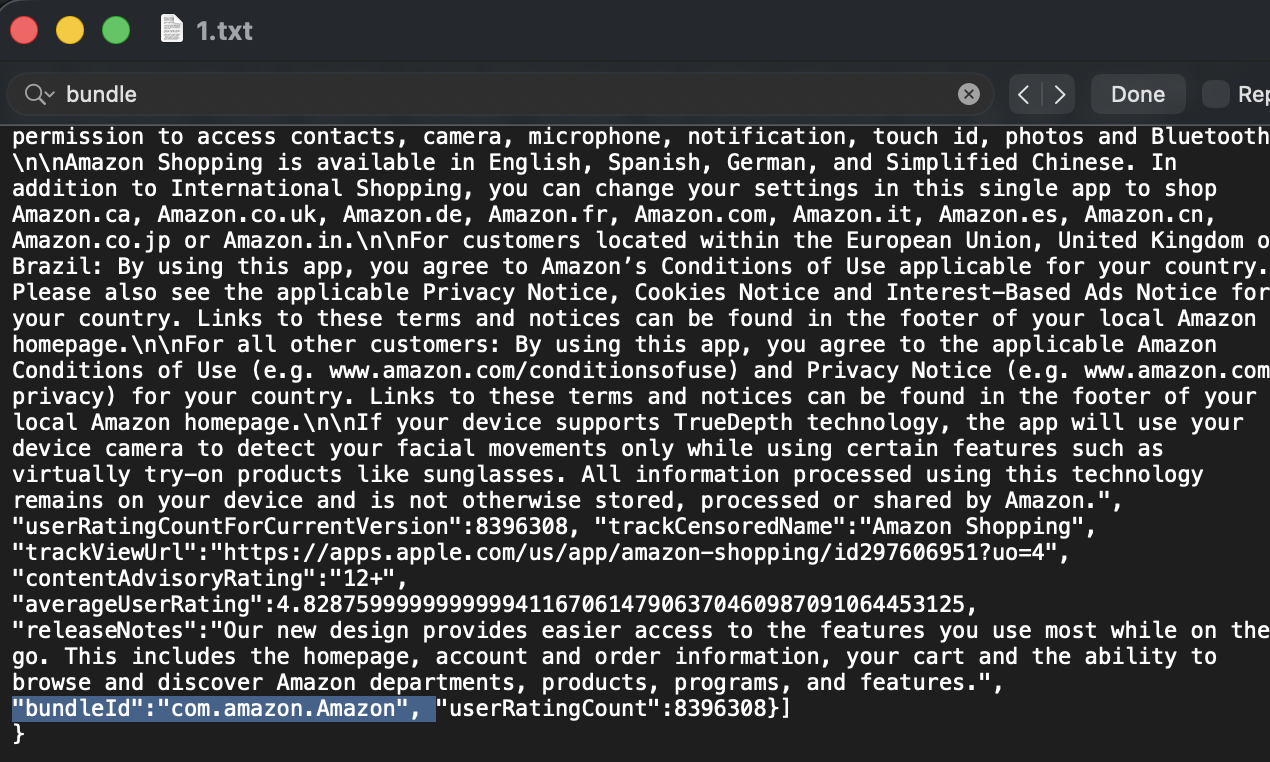
Copy the Bundle ID value for use in automation or configuration.
Outcome
After completing these steps:
The Bundle ID of the iOS application will be identified successfully.
The Bundle ID can be used for Appium automation or application configuration.
Was this article helpful?
That’s Great!
Thank you for your feedback
Sorry! We couldn't be helpful
Thank you for your feedback
Feedback sent
We appreciate your effort and will try to fix the article