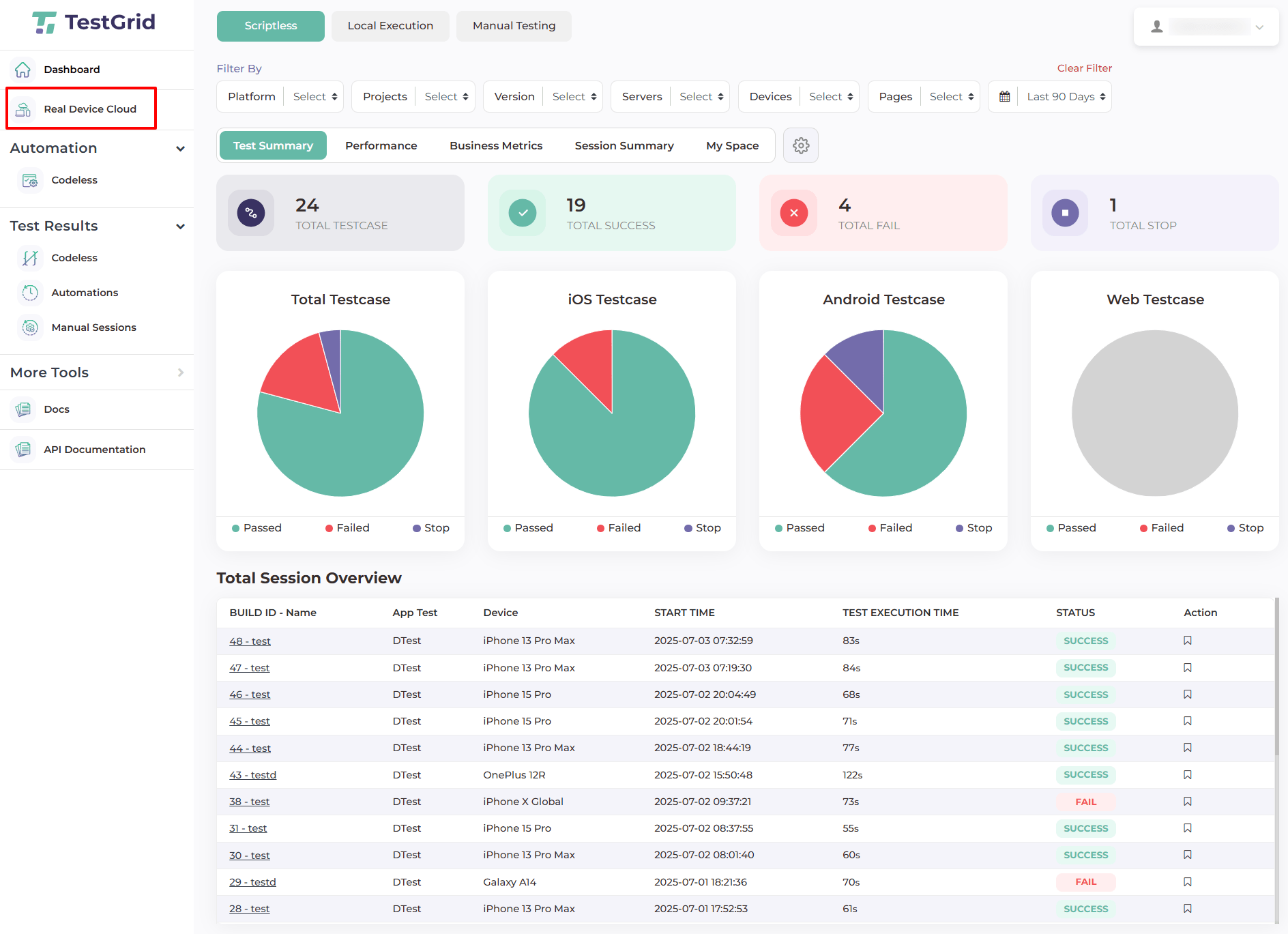
To upload and install an application, log in to the TestGrid portal and go to Real Device Cloud.
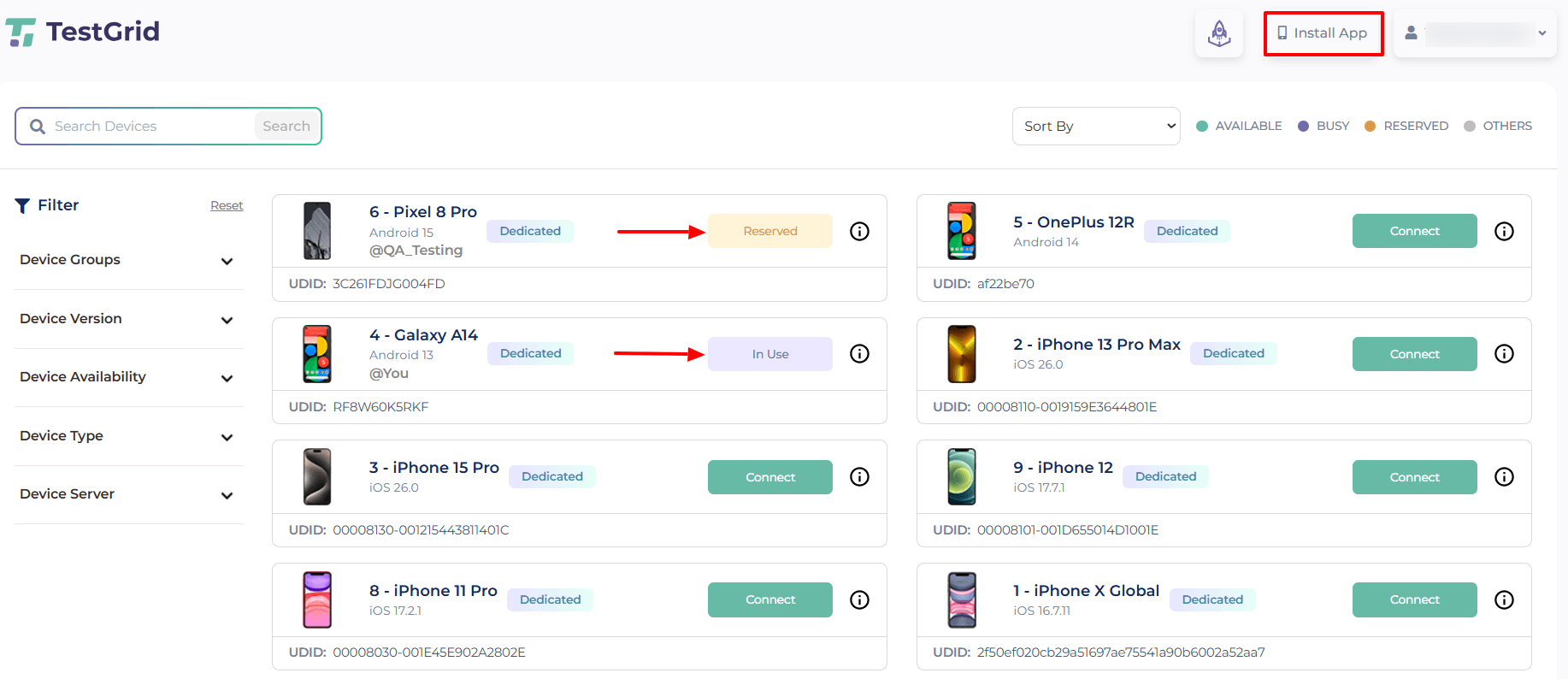
select Install App,
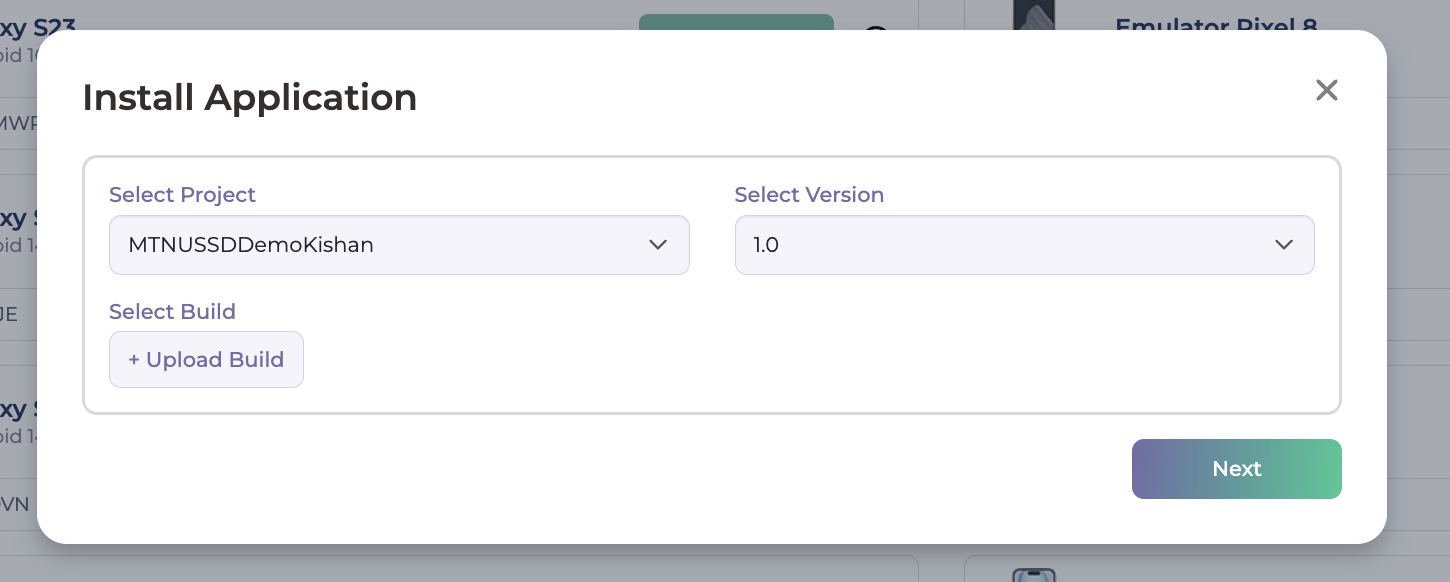
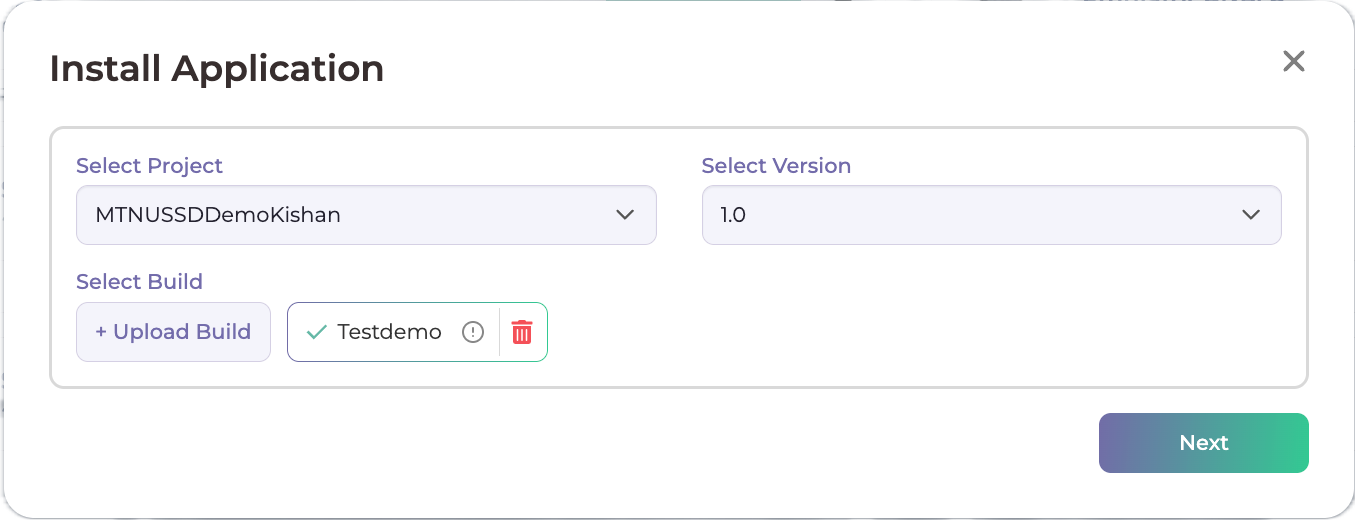
Select Project & its version
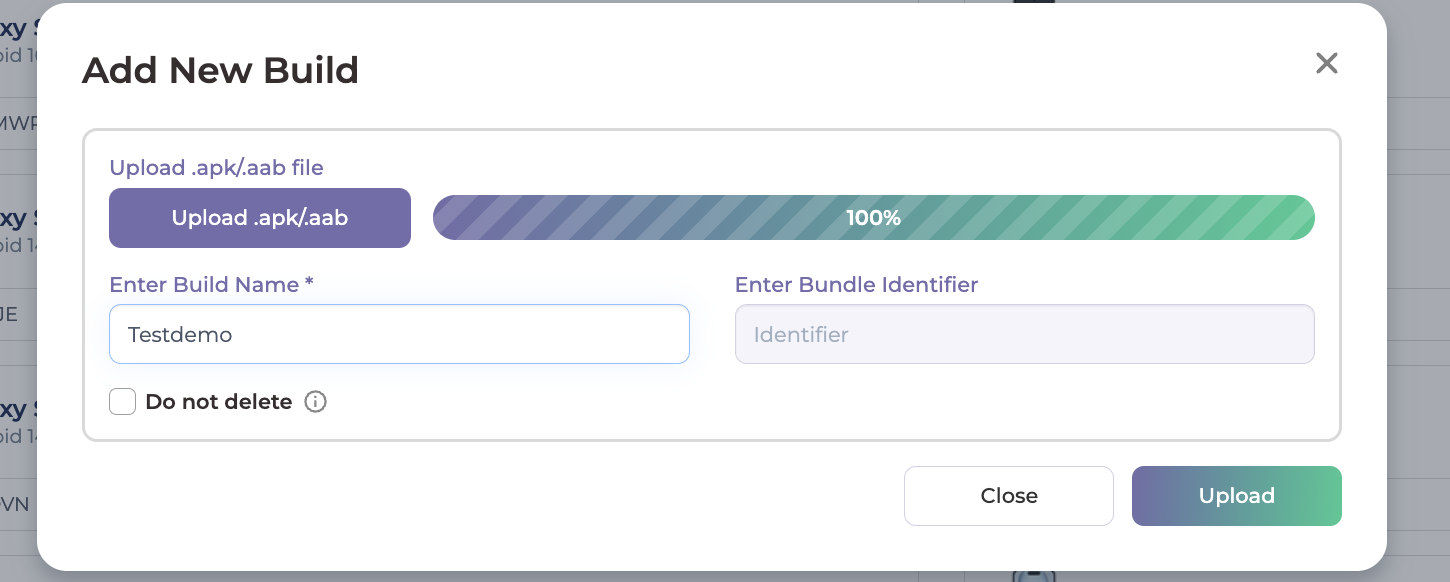
Upload the APK file for Android or IPA file for iOS, enter the build name, and complete the upload.
Click next
Select the device on which you want the application installed, and click install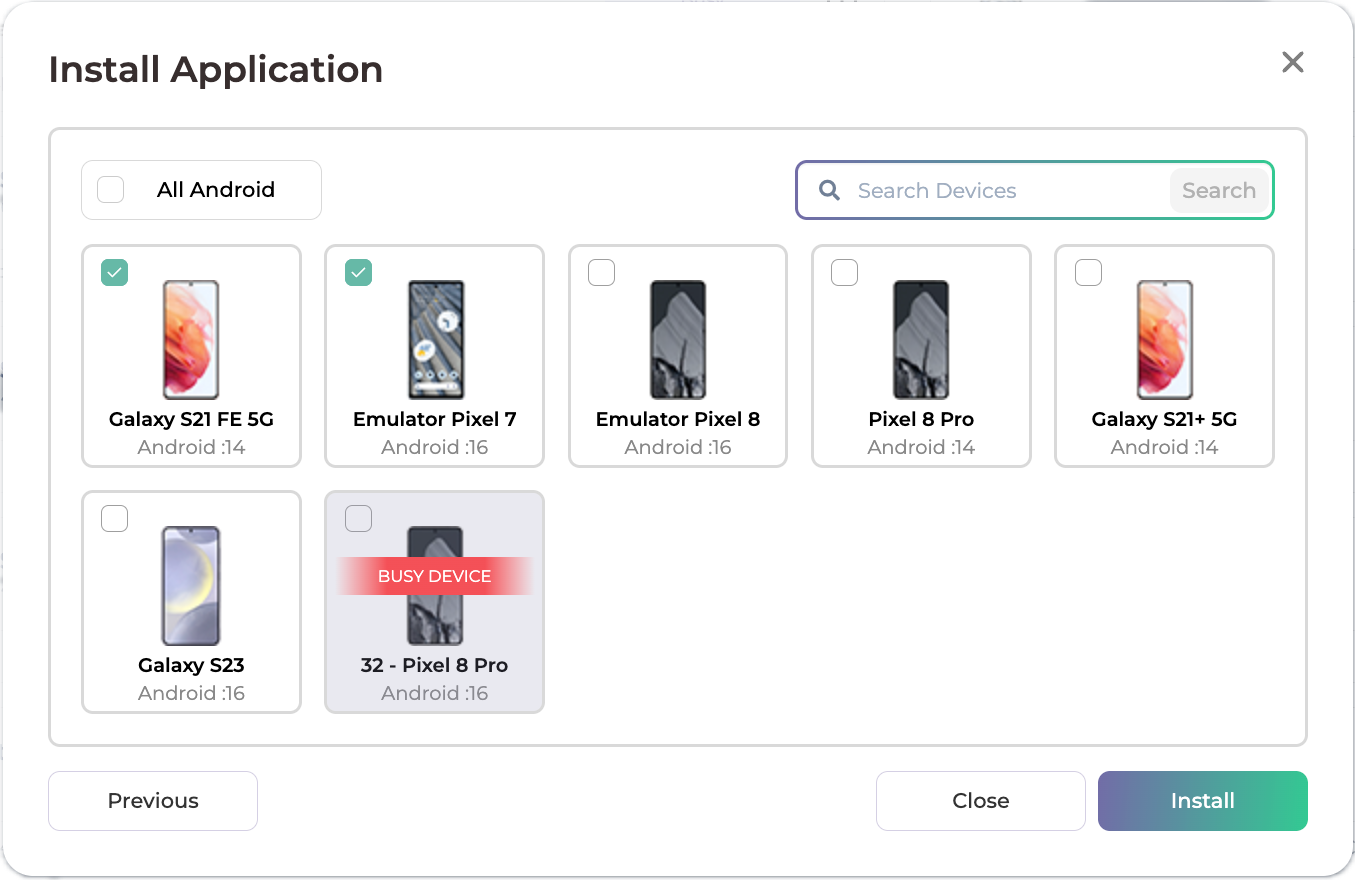
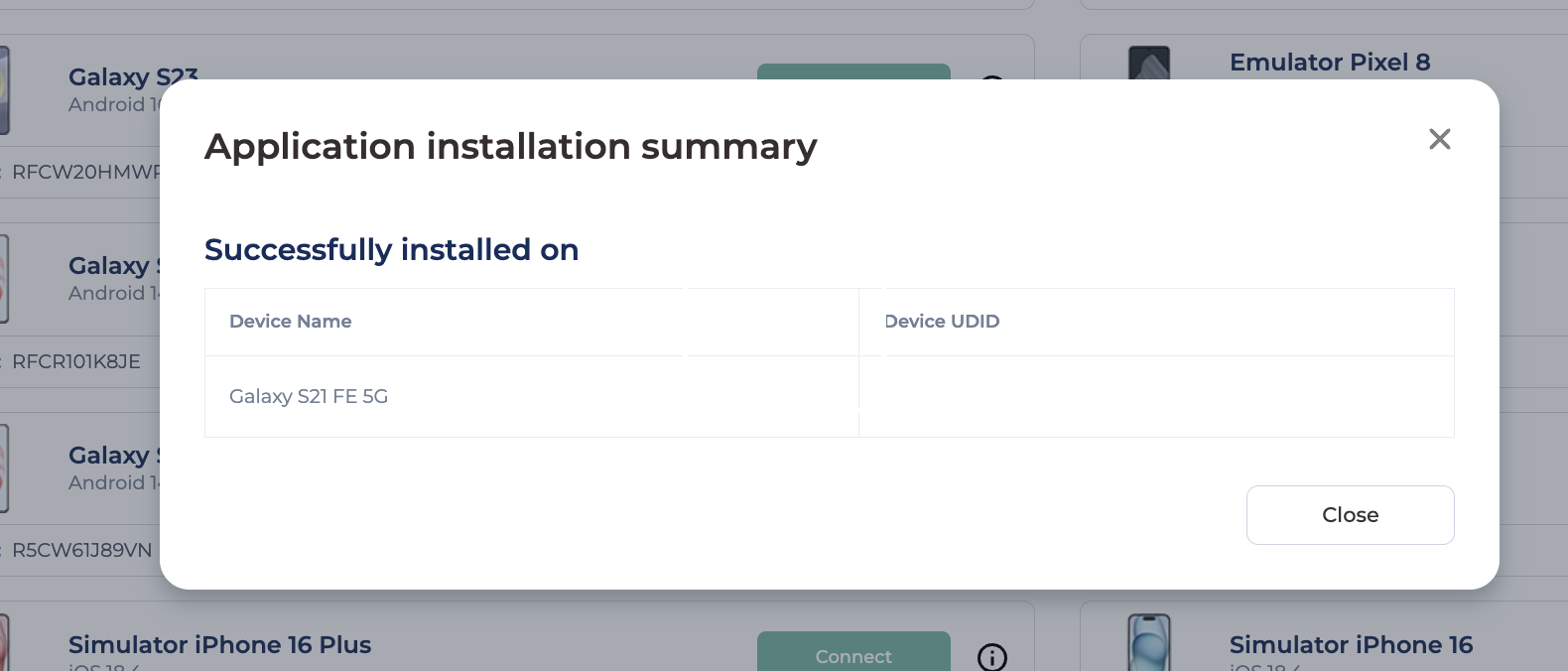
App will be installed and summary will be shared
If the app does not appear on the device after installation, refresh the device session and verify that the correct build version was selected. If the issue continues, share the app name, build name, device name, OS version, and a screenshot or recording of the installation flow with the support team.
Still have a question?
Support Contact:
support@testgrid.io
Was this article helpful?
That’s Great!
Thank you for your feedback
Sorry! We couldn't be helpful
Thank you for your feedback
Feedback sent
We appreciate your effort and will try to fix the article