The Test Case Compilation Failed error occurs when TestGrid is unable to compile the test case before execution. This is typically caused by issues in custom code, functions, variables, imports, libraries, or test steps that prevent the test case from being built successfully.
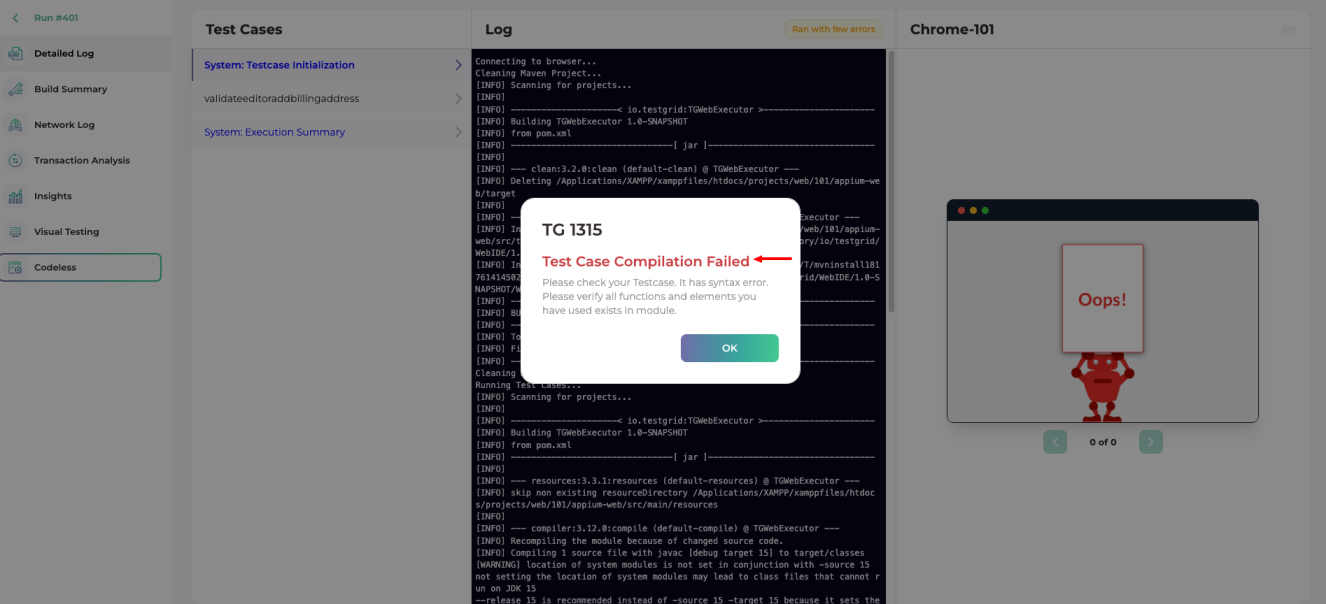
Compilation failures usually occur due to one or more of the following reasons:
Invalid custom code.
Incorrect function syntax.
Missing import statements.
Incorrect variable references.
Deleted or renamed custom functions.
Missing libraries or dependencies.
Broken or incomplete test steps.
References to resources that no longer exist in the selected version.
How to Troubleshoot
Step 1: Review the Most Recently Modified Step
Start by reviewing the latest changes made to the test case.
Check for:
Recently added custom code
Modified functions
Updated variables
Newly added libraries
Edited test steps
Recent changes are often the source of compilation failures.
Step 2: Verify Custom Functions
If the test case uses custom functions:
Confirm the function exists.
Verify the function name is correct.
Ensure the function has not been renamed or deleted.
Validate the function syntax.
Step 3: Validate Variables
Review all variables used within the test case.
Verify:
Variable names are correct.
Variables exist in the selected version.
Variables have not been renamed or deleted.
Variable references use the correct syntax.
Step 4: Verify Import Statements
If custom code is used, ensure all required import statements are present.
Common issues include:
Missing imports
Incorrect package names
Unsupported libraries
Review any recently added code blocks for dependency requirements.
Step 5: Check Libraries and Dependencies
If the test case relies on custom libraries:
Confirm the library exists.
Verify the library is available in the selected version.
Ensure the library has not been removed or replaced.
Step 6: Review Deleted or Renamed Resources
Compilation failures commonly occur after:
Renaming a custom function
Deleting a global variable
Removing a custom library
Deleting referenced test data
Verify that all referenced resources still exist.
If the compilation error is unclear or persists after troubleshooting, share the following details with the support team:
Project Name
Version Name
Test Case Name
Screenshot of the Compilation Error
Recently Modified Step or Function (if known)
Any recently added custom code, variables, or libraries
Providing this information helps speed up root cause analysis and resolution.
Still have a question?
Support Contact:
support@testgrid.io
Was this article helpful?
That’s Great!
Thank you for your feedback
Sorry! We couldn't be helpful
Thank you for your feedback
Feedback sent
We appreciate your effort and will try to fix the article